
Fuzzy · Motivation - A short animated film about the excuses we make before we work out, created with AI.
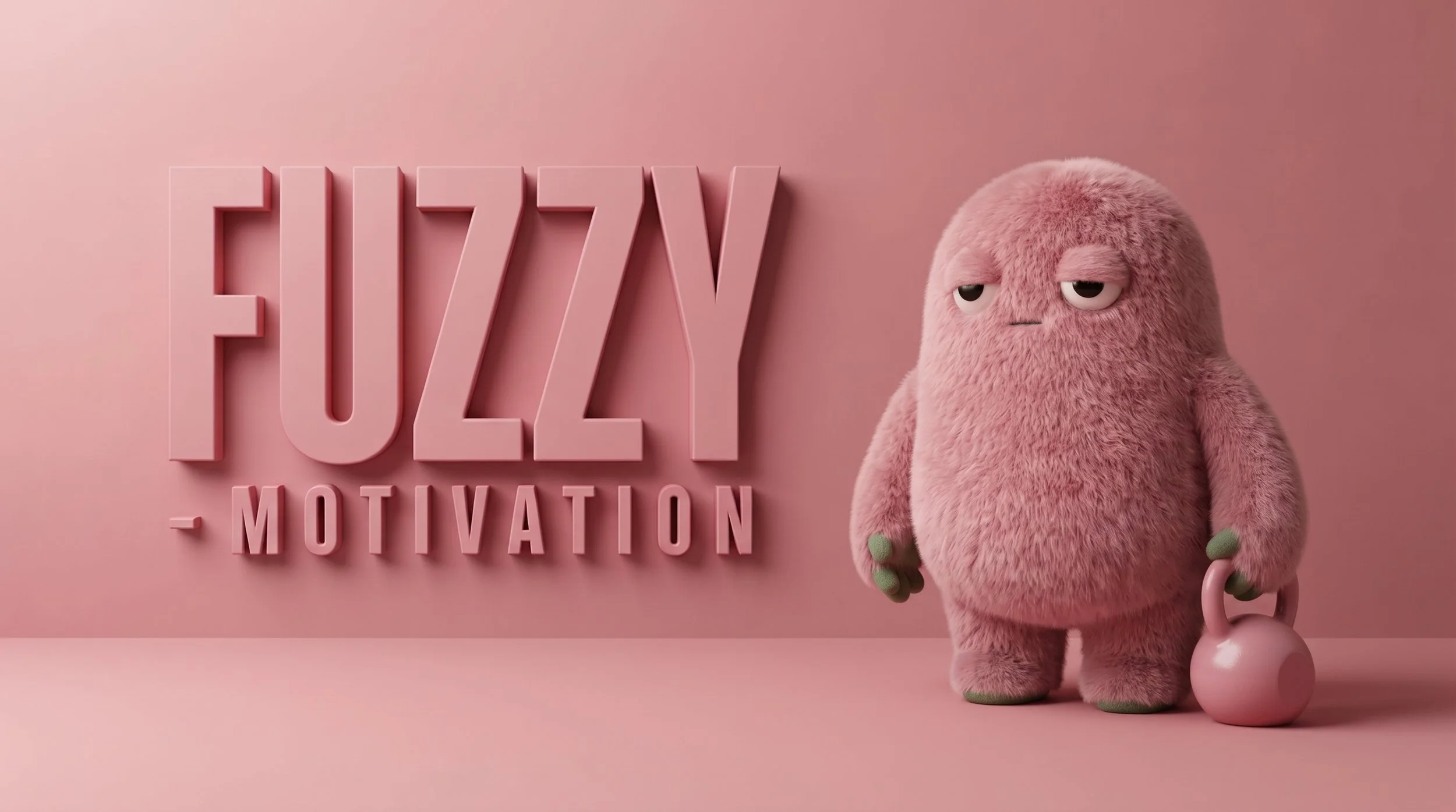
I wrote the story, designed the character, built the shotlist and directed every AI output, from the first key frame to the final edit. The creative decisions were mine.
My role
Credits & Info
Academic project for the Motion Design and Animation with AI module of the Postgraduate in AI for Design at IADE, taught by Frederico Graça. Tools: Claude, Nano Banana 2, Google Flow and Adobe Premiere Pro.
Everyone knows the gap between wanting and doing
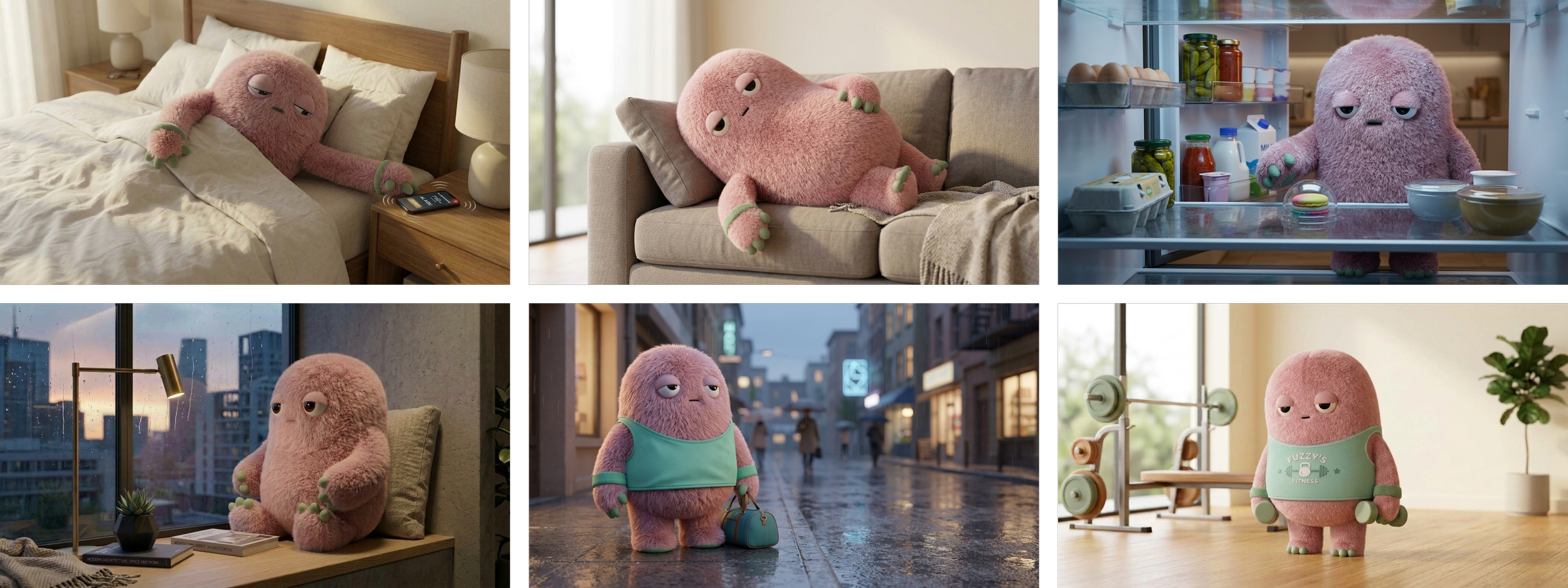
Fuzzy wants to trade the bed and the sofa for the gym. First comes the alarm, then the phone, the fridge, the sofa and the rain. The excuses, the distractions and the failed attempts lead, at last, to a routine that sticks.
The tone is calm, warm and dry. Funny for adults, without looking like a children's film.
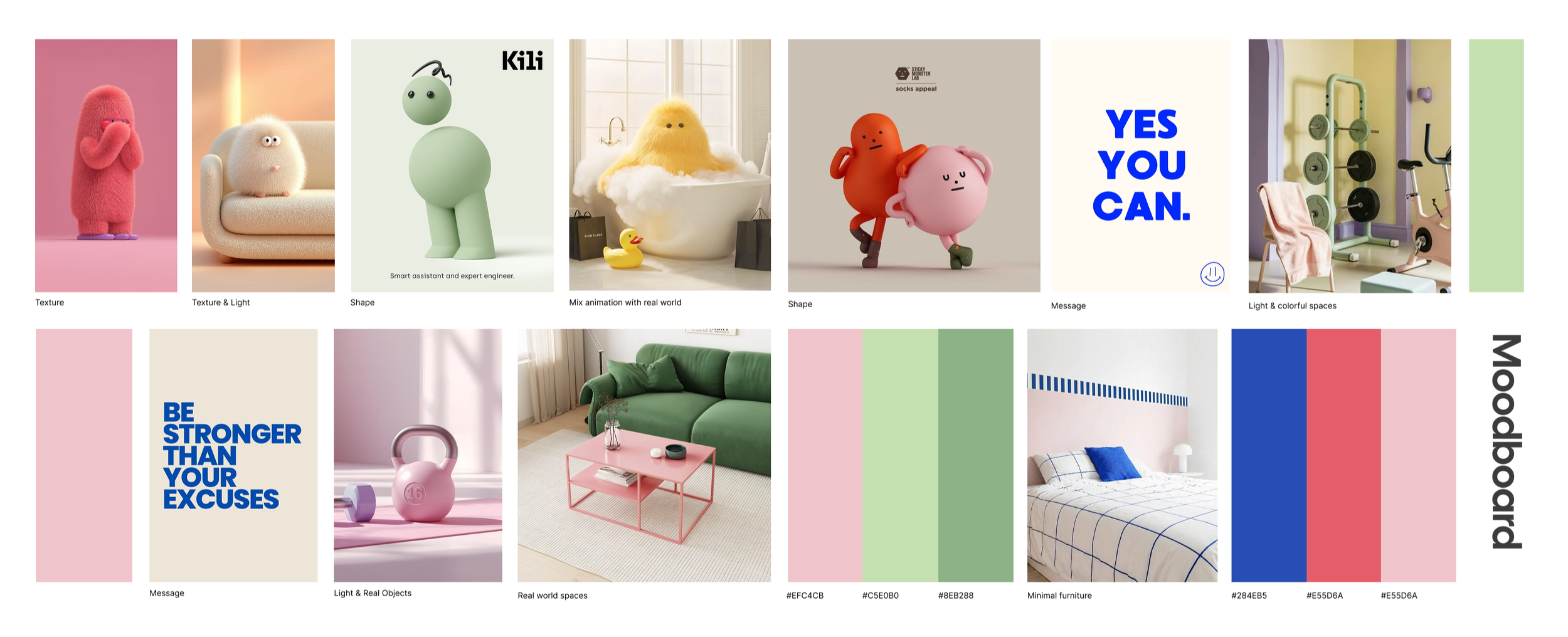
A moodboard to set the tone
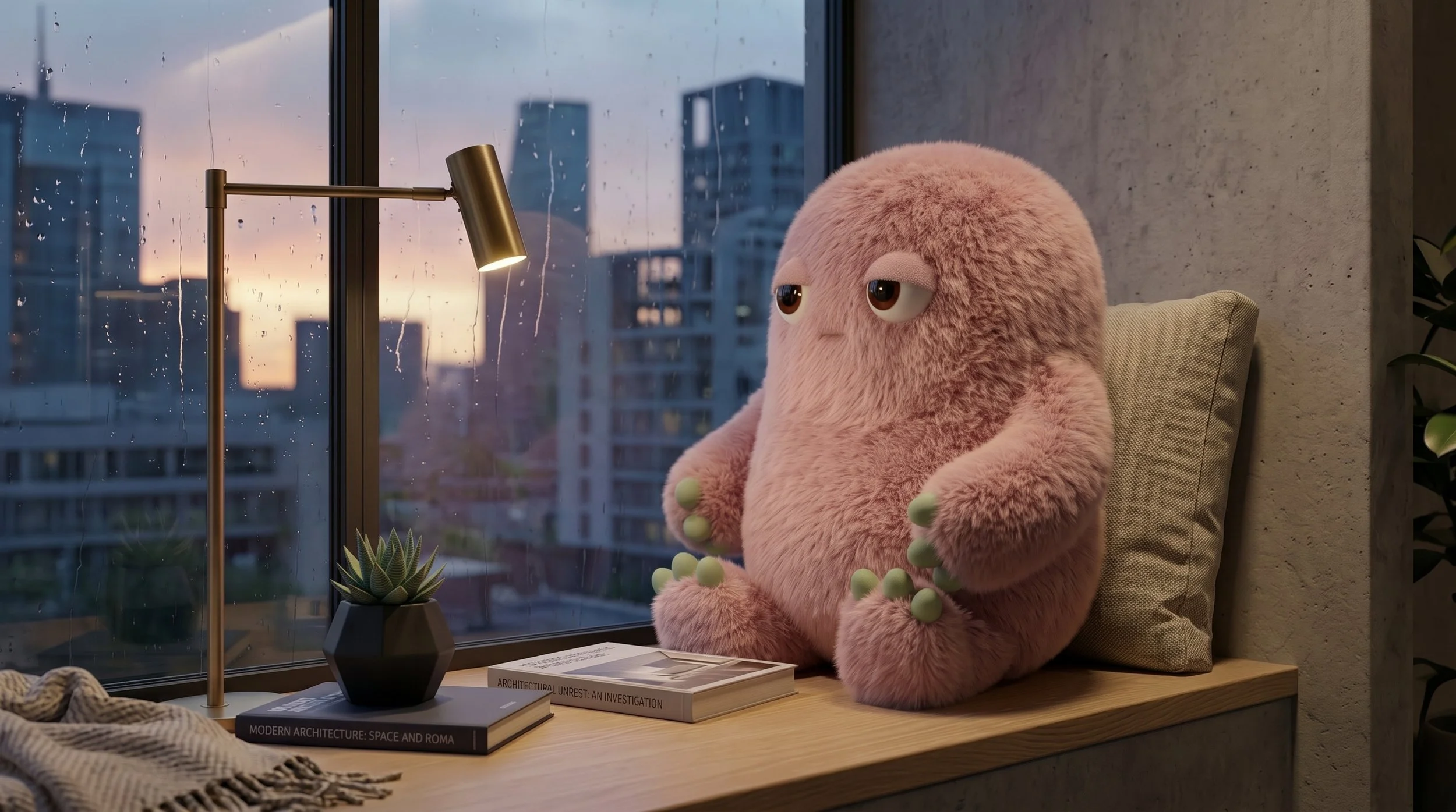
Textured 3D characters, soft light, colourful interiors and short typographic messages. Dusty pink leads, sage and mint support it, and cobalt and coral appear only as small accents.
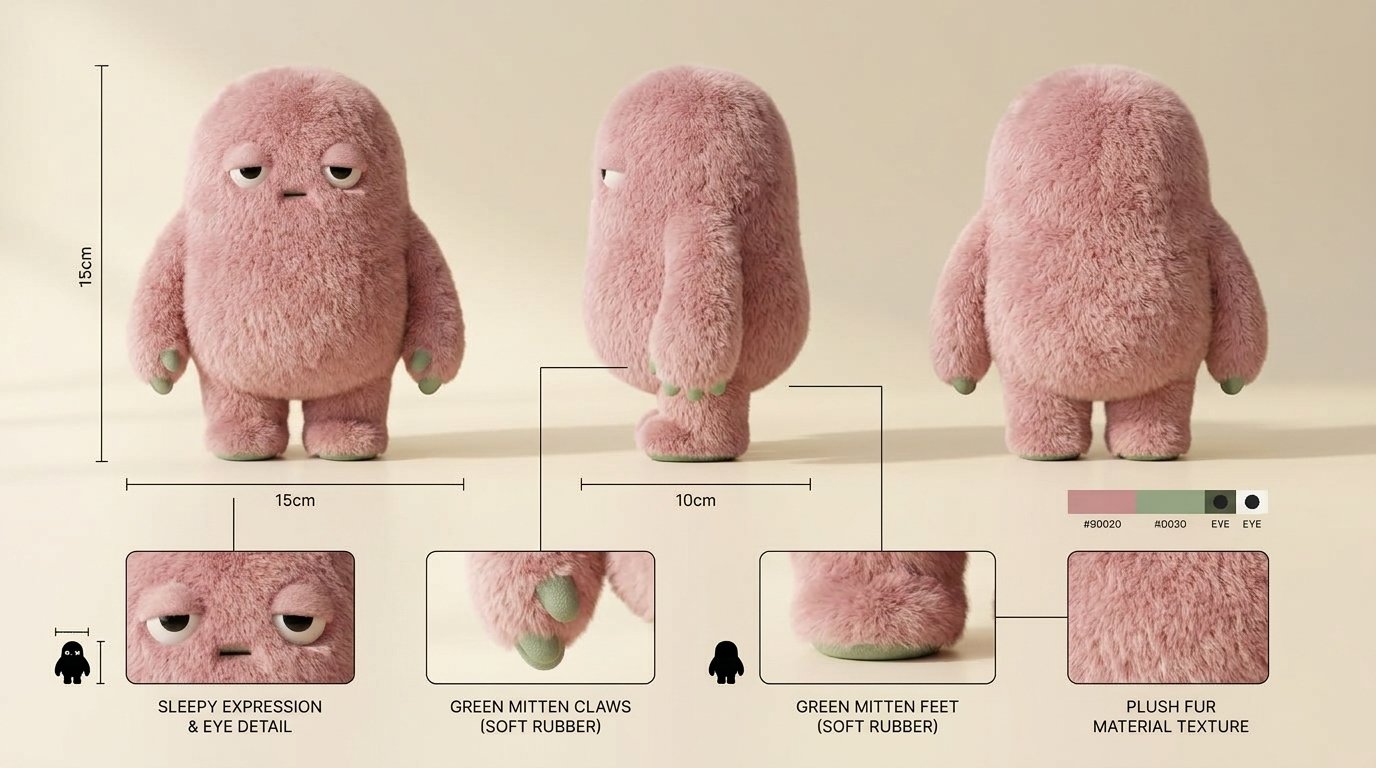
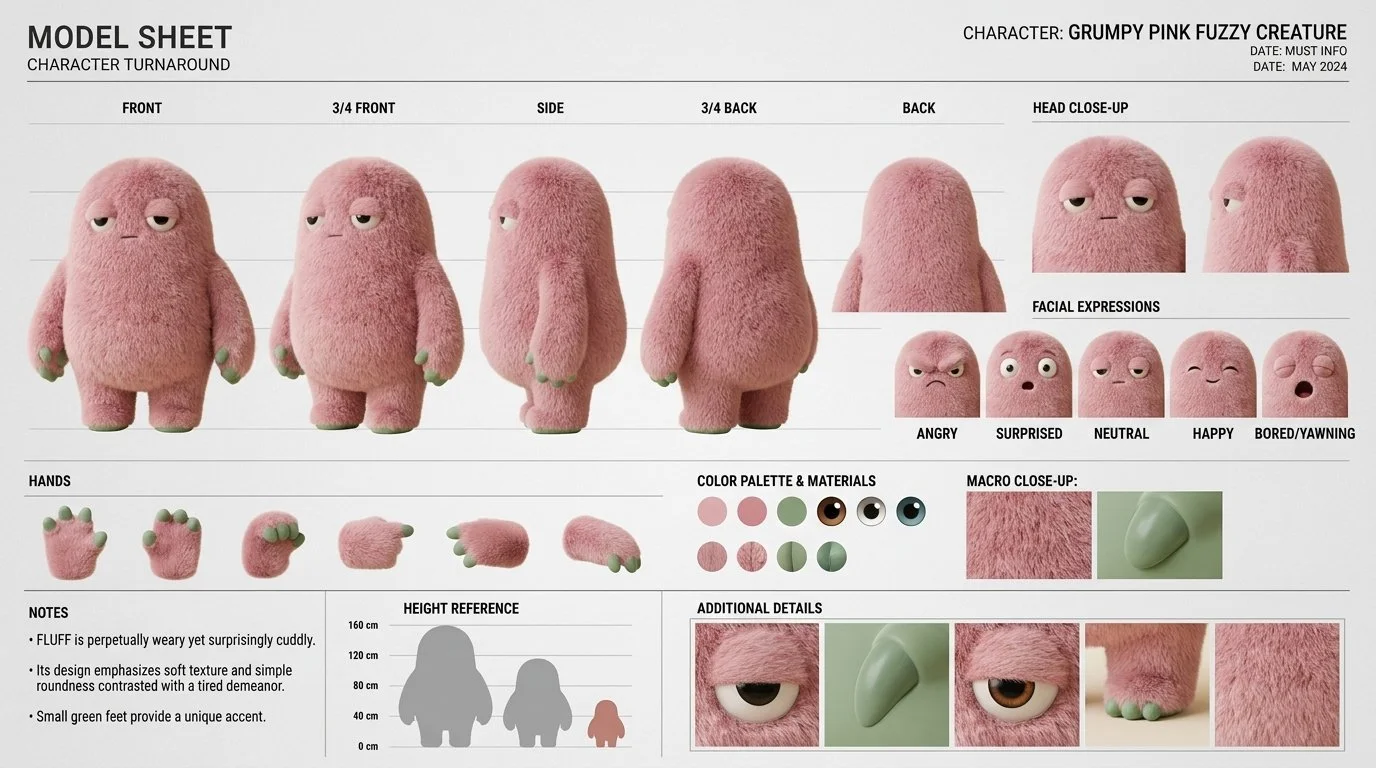
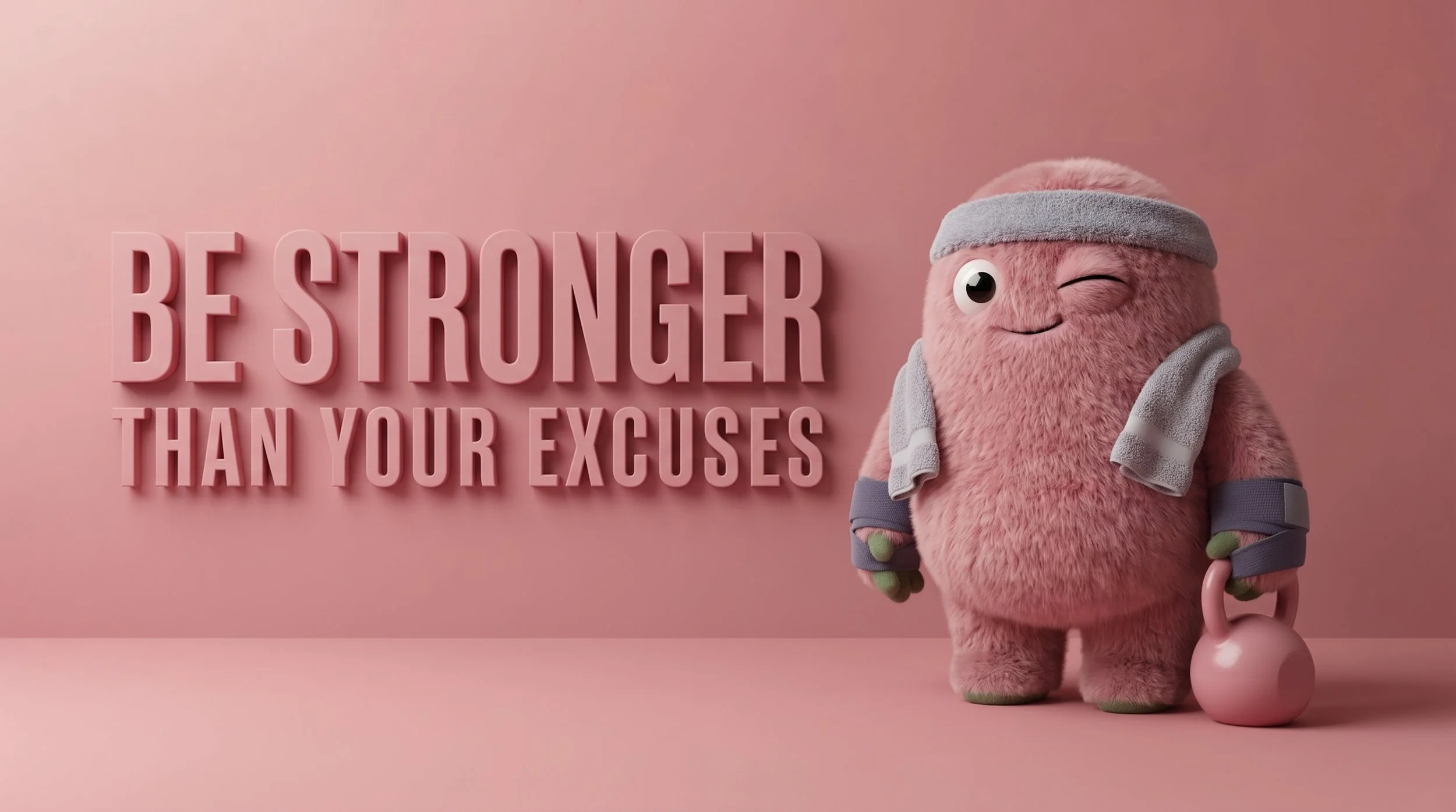
I tested several characters before Fuzzy. Some were too smooth, one was too human, others felt too childish. Fuzzy has an egg-shaped pink body, long silky fur, sleepy eyes and green hands and feet.
The name is in English and has nothing to do with sport, so Fuzzy can star in other stories.
A character built for more than one story
One style prompt for every shot
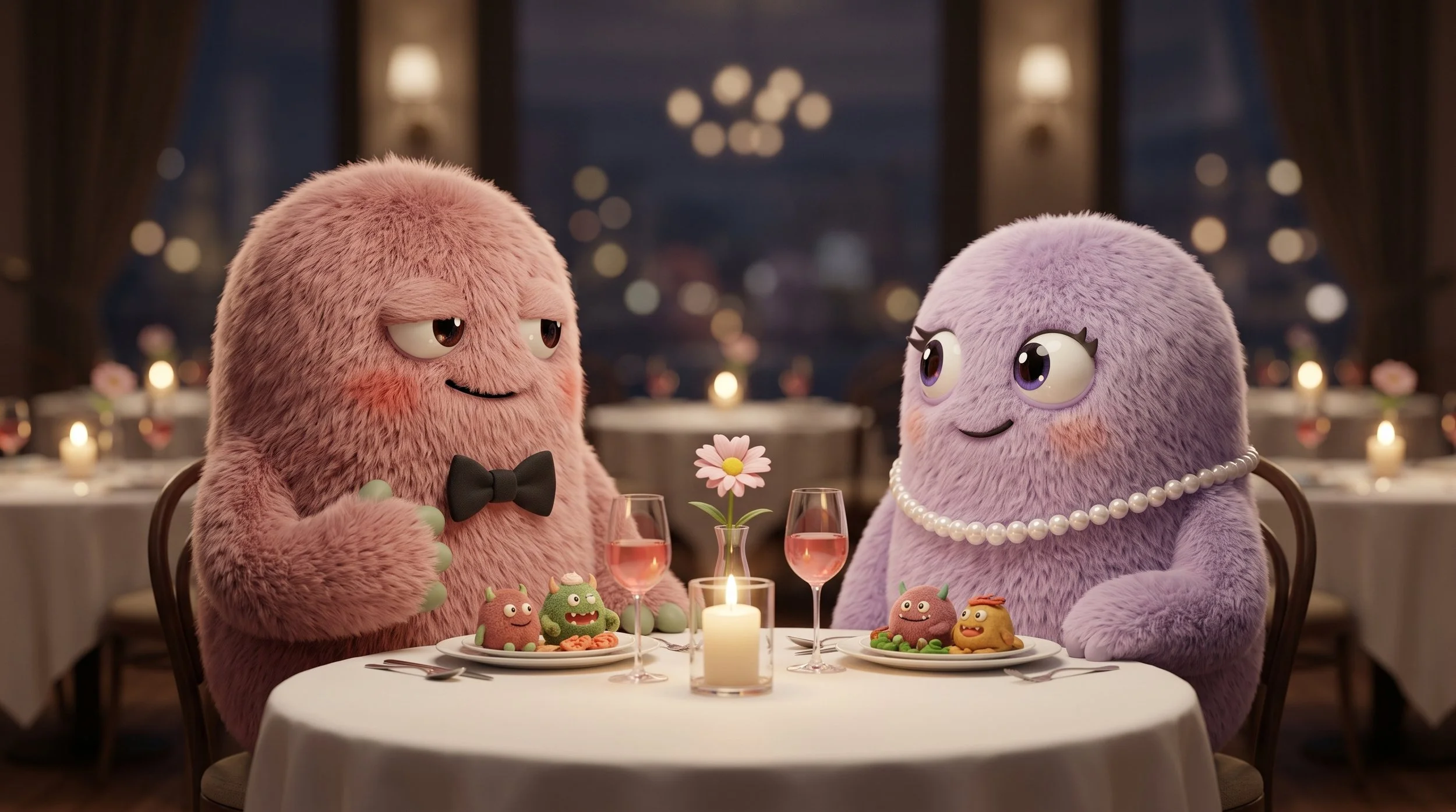
Keeping the same style and characters across 26 shots was the biggest technical challenge. Fuzzy appears in 19 shots, across eight settings.
Two references held it together. The character sheet went into every generation with Fuzzy. A fixed style prompt, repeated in every prompt, locked the render, lens, light, palette, texture and grain.
LENS
35mm, around f/2.8, soft background blur
LIGHT
35mm, around f/2.8, soft background blur
PALETTE
Dusty pink, sage, mint, cream and oat
TEXTURE
Long, fine, silky fur with soft tips
FINISH
Fine 35mm grain, one colour grade
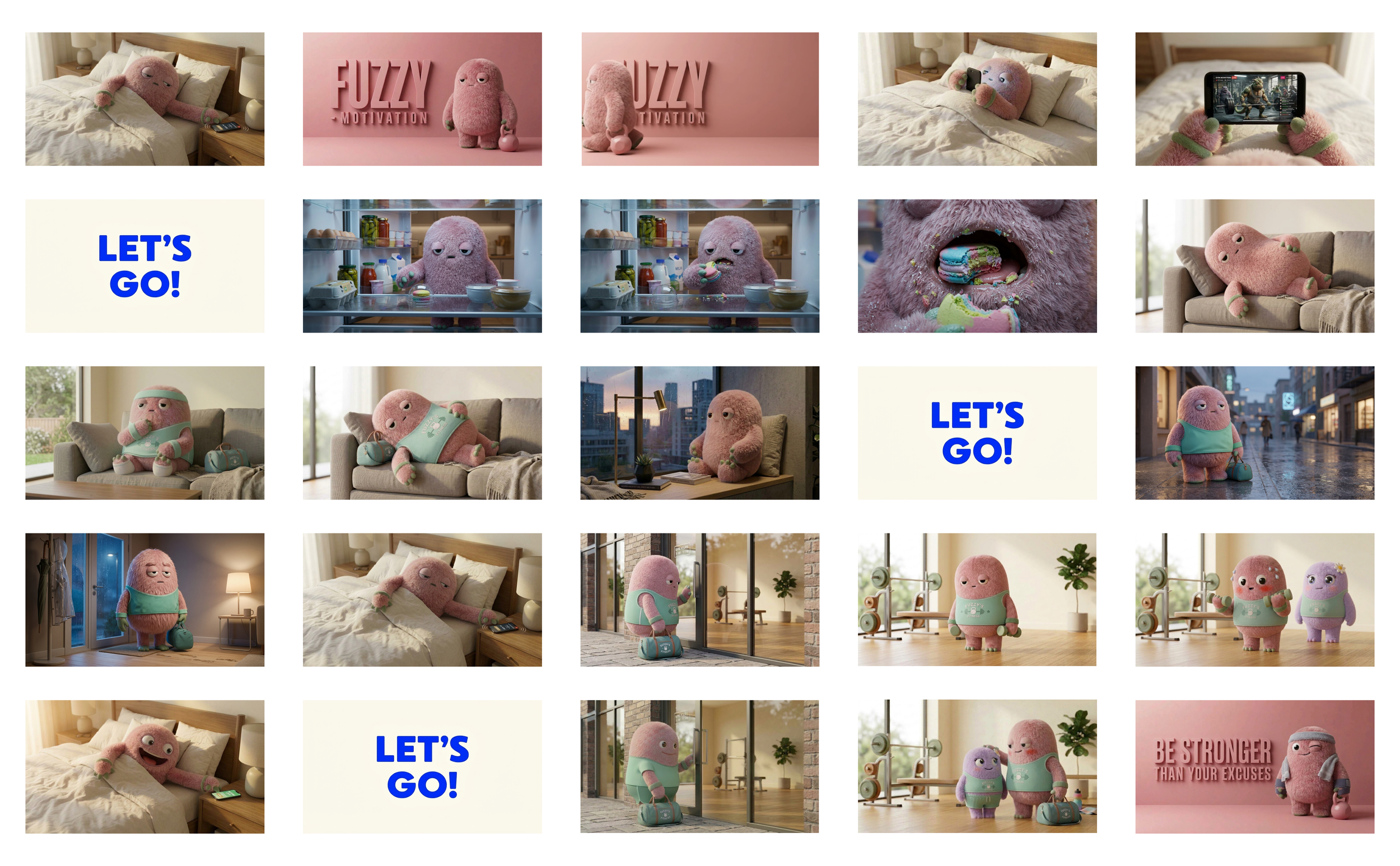
The shotlist has 25 shots, each with a description, shot type, camera movement, duration, motion prompt and sound. I generated one key frame per shot with Nano Banana 2.
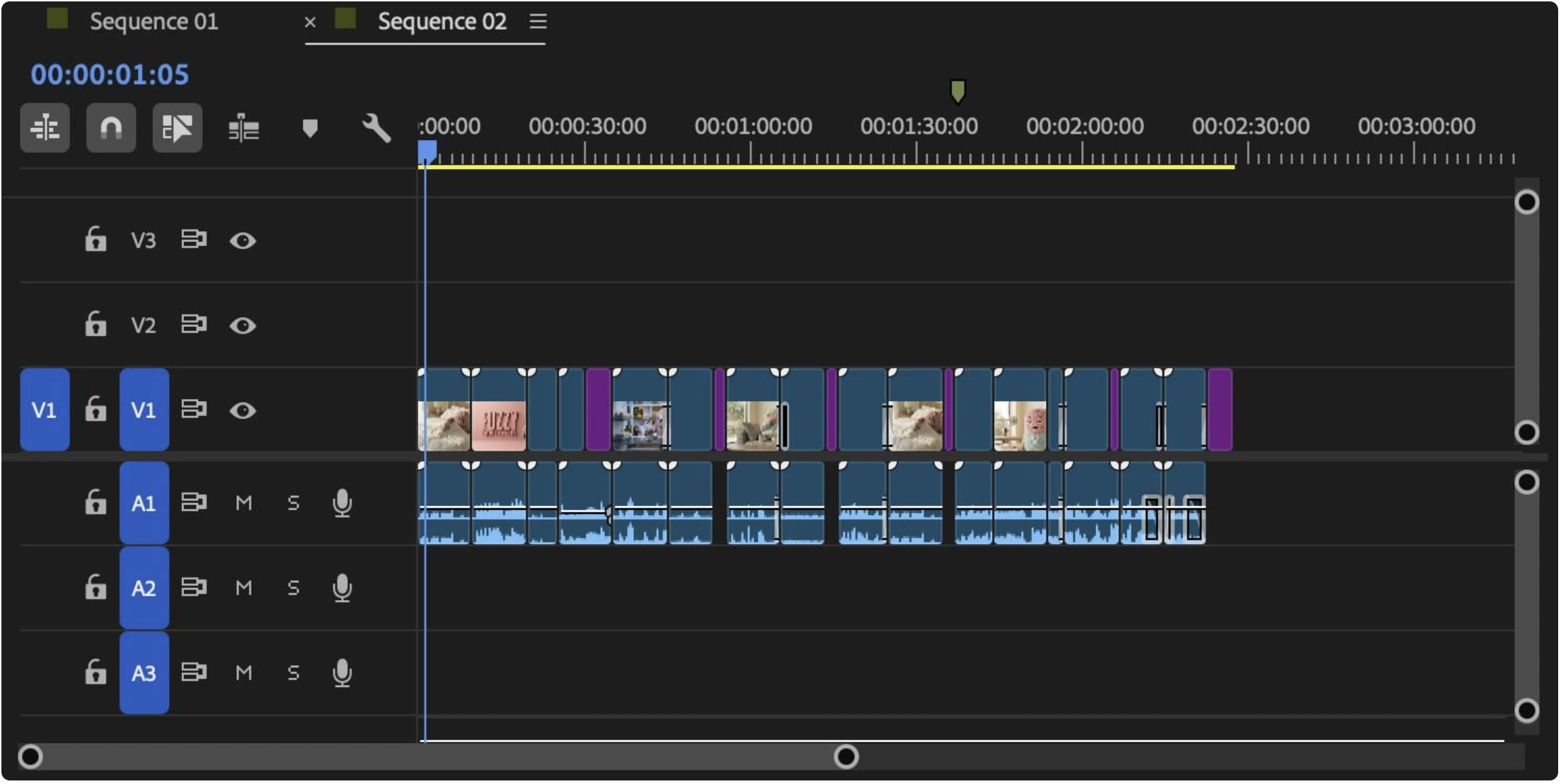
Then I built an animatic in Premiere: the static frames in a 1920×1080 sequence at 24 fps, with their real durations and temporary audio. It showed the pacing before any clip existed.
Testing the rhythm before anything moved
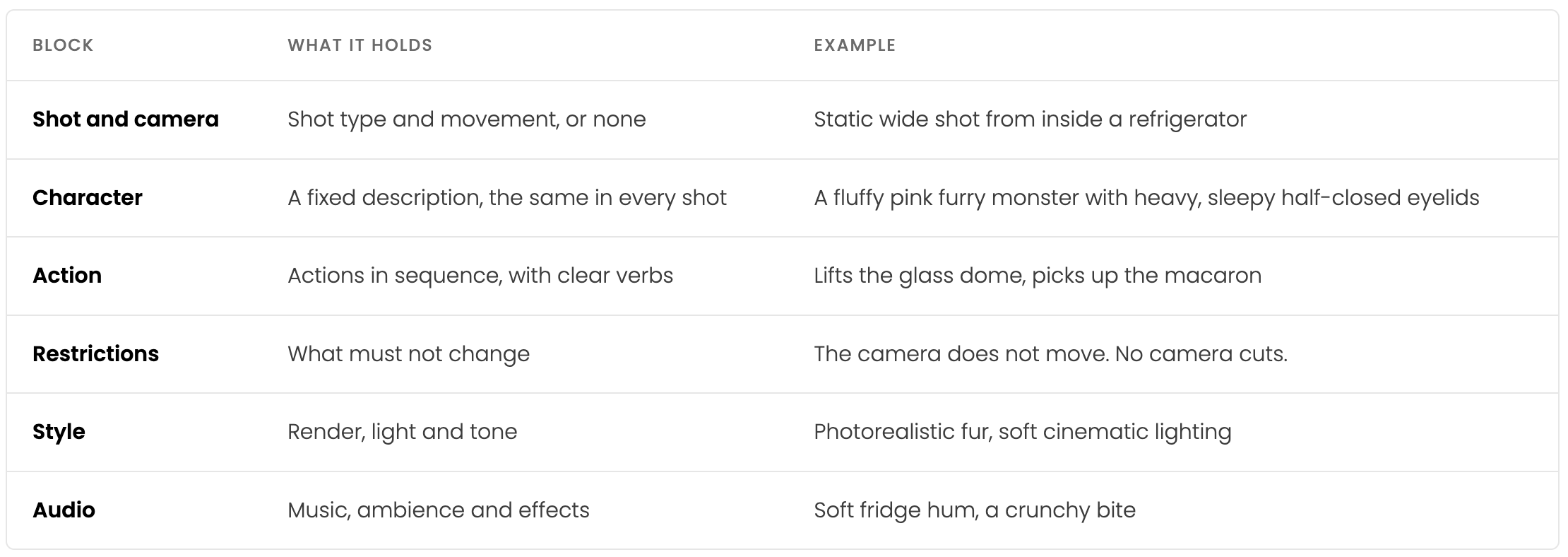
Motion prompts with a fixed structure
Every clip started from an approved key frame in Google Flow. I wrote the motion prompts in English, always in the same order. The fixed order made results more predictable, and I could fix one block without touching the rest.
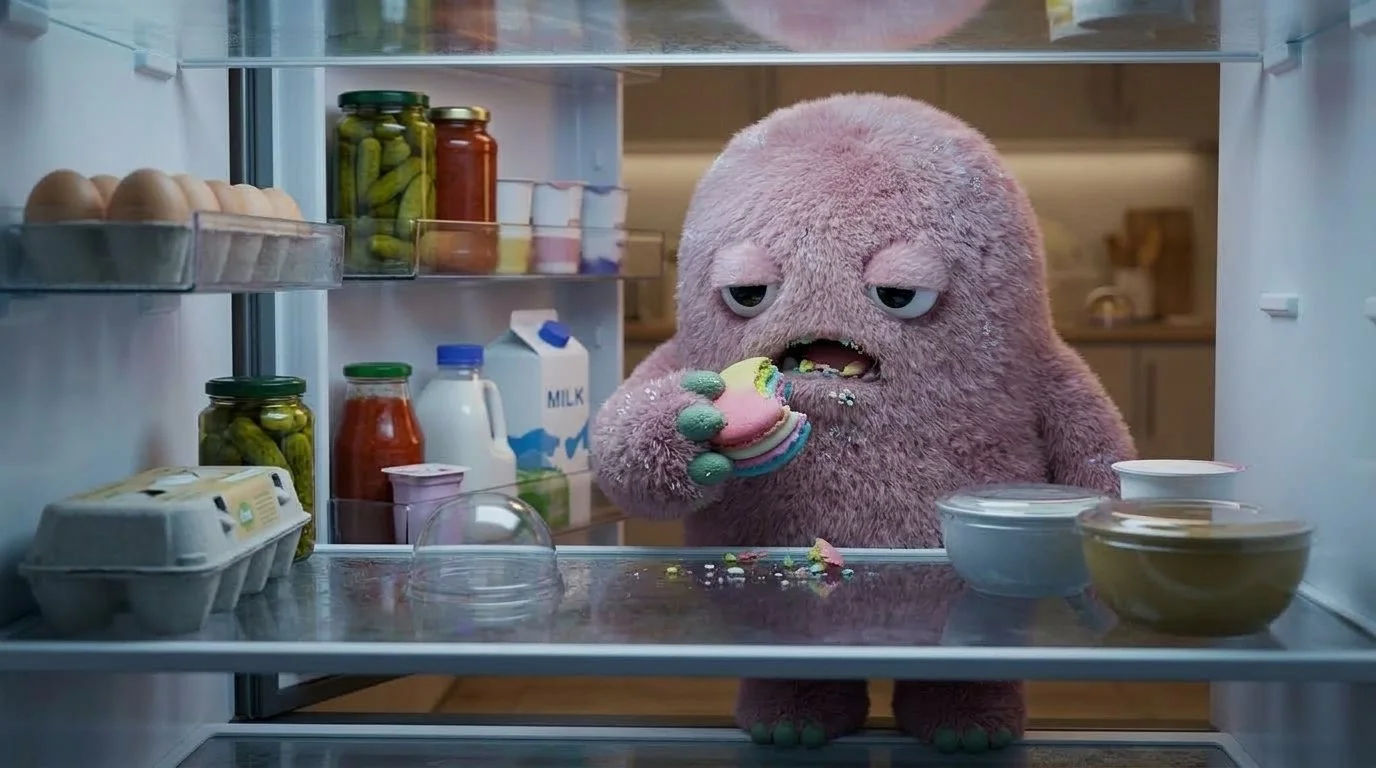
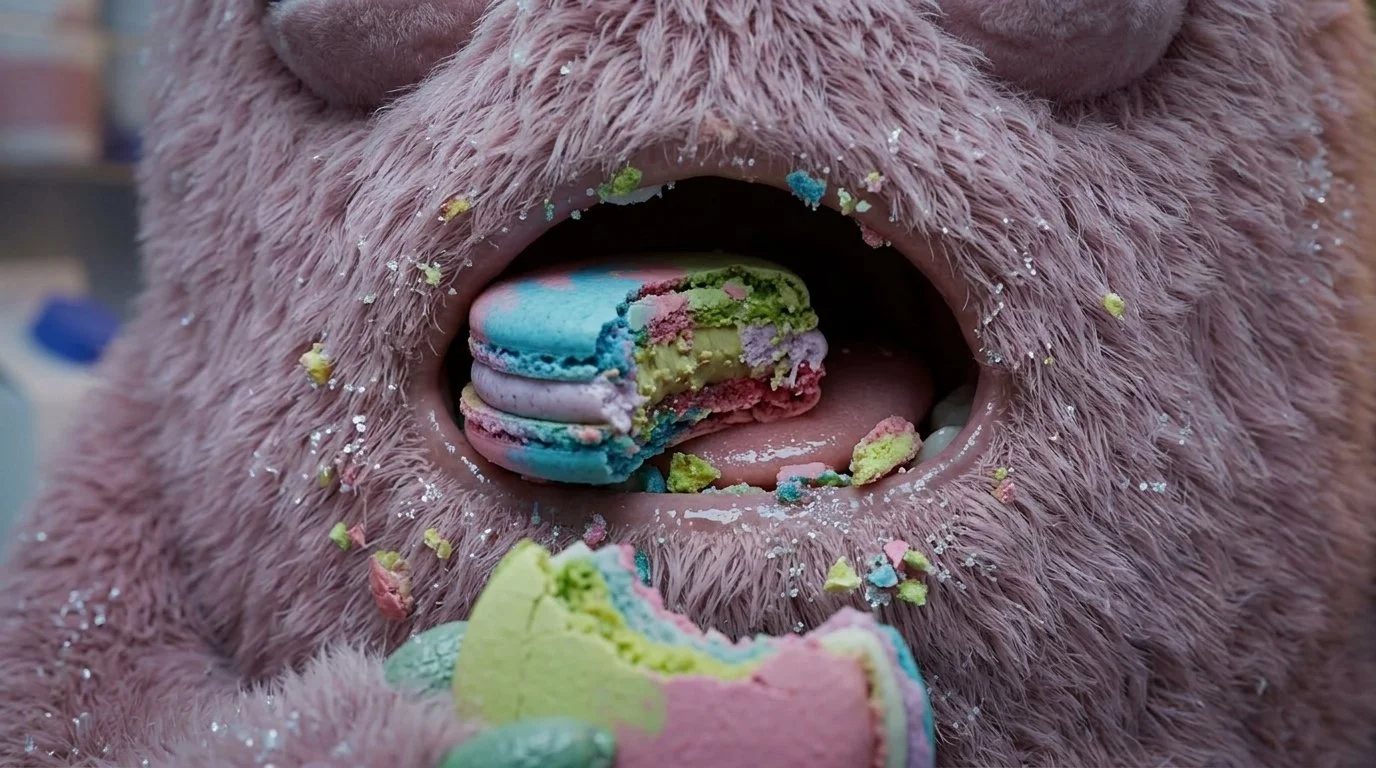
Fixing what the AI got wrong
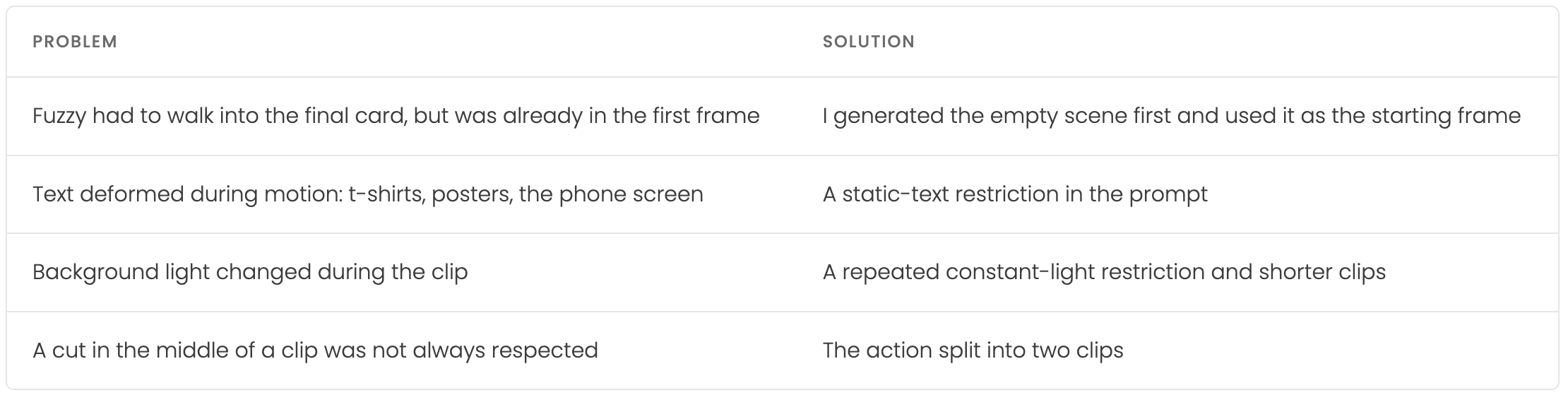
Most of the work happened between generations. When a frame drifted in style, I corrected the image before animating it, because the first frame sets the composition, light and character for the whole clip.
Sound and edit
All the sound was generated in Google Flow with each clip. The last line of every prompt described the ambience and effects, from a soft fridge hum to clanking weight plates.
In Premiere, each finished clip replaced its frame in the animatic. The long early shots show Fuzzy's inertia. From the gym onwards the shots get shorter and the pace picks up, with the "Let's go!" cards in cobalt on cream marking each turn.
What I learned
AI made the images, the motion and the sound. Consistency came from the method around it.
Next time, the style prompt goes into Google Flow's instructions from the start. I only found that option late in the project.
Lock the style from day one
Fix the image, then animate
The first frame decides the clip. Problems are cheaper to solve in a still than in motion.
In a next project I want to explore Flow's Character feature and record my own voiceover, separate from the clips.